
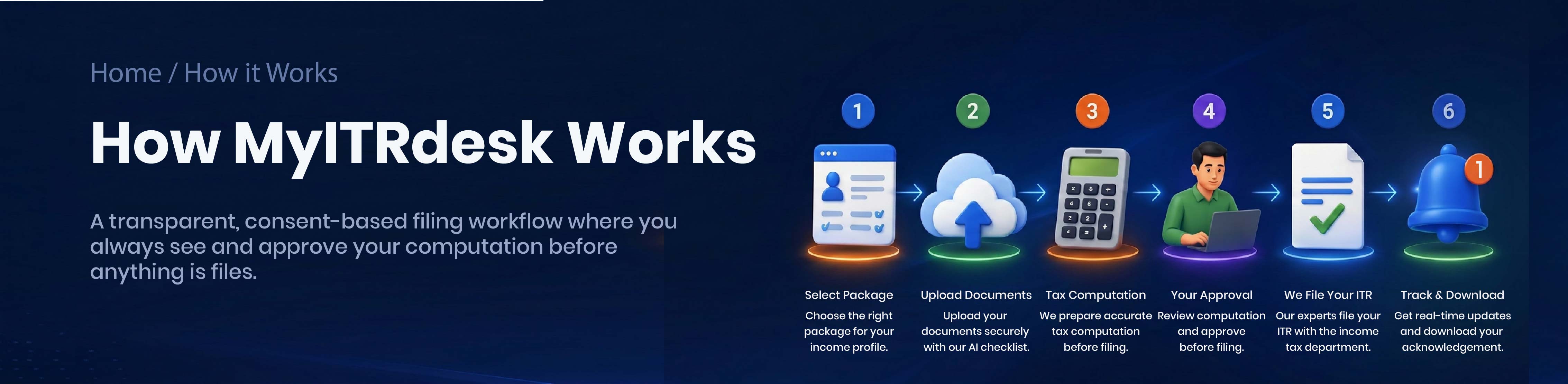
Choose a package or use the package assistant
Pick the plan that matches your income type — or use our chat-based package assistant to get a suggestion. Then create your secure MyITRdesk login.
Create your order
Select your assessment year and income sources. Your order is created and you can see exactly what documents are needed.
Upload documents
Upload Form 16, capital gain statements, business books or other relevant documents securely. Previous-year ITR and AIS/TIS/26AS are optional. Files are stored privately.
Set your e-filing access option
Choose to securely share your e-filing password (encrypted) or opt for OTP-assisted reset support — with clear consent.
Pay securely
Pay securely through Razorpay Checkout. Your payment status updates automatically after successful payment.
Expert preparation & review
Our team prepares your computation; it is reviewed by qualified tax professionals and Chartered Accountants wherever applicable.
Approve your draft computation
Download your draft computation, review the numbers, and approve online — or raise a query for any correction.
Filing & acknowledgement
After your approval, the authorised filing team files your return and uploads your acknowledgement and final computation for download.
Filing only after your approval
We never file without you. You review the draft computation and approve it — or raise a query — before submission.